

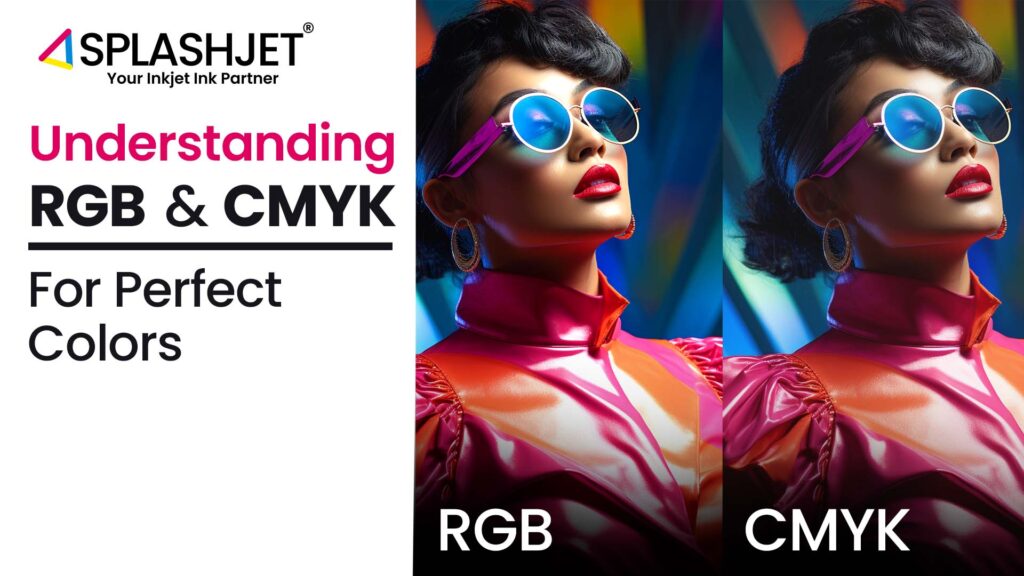
RGB and CMYK rendering methods are often a source of confusion, resulting in noticeable differences between on-screen visuals and the final printed output. These two color models function in very different ways, each with its own limitations and areas of application.
In this article, we will explore the fundamentals of RGB and CMYK, their working principles, and their differences, guiding you in selecting the appropriate mode based on your specific needs.
RGB Vs CMYK Color Mode
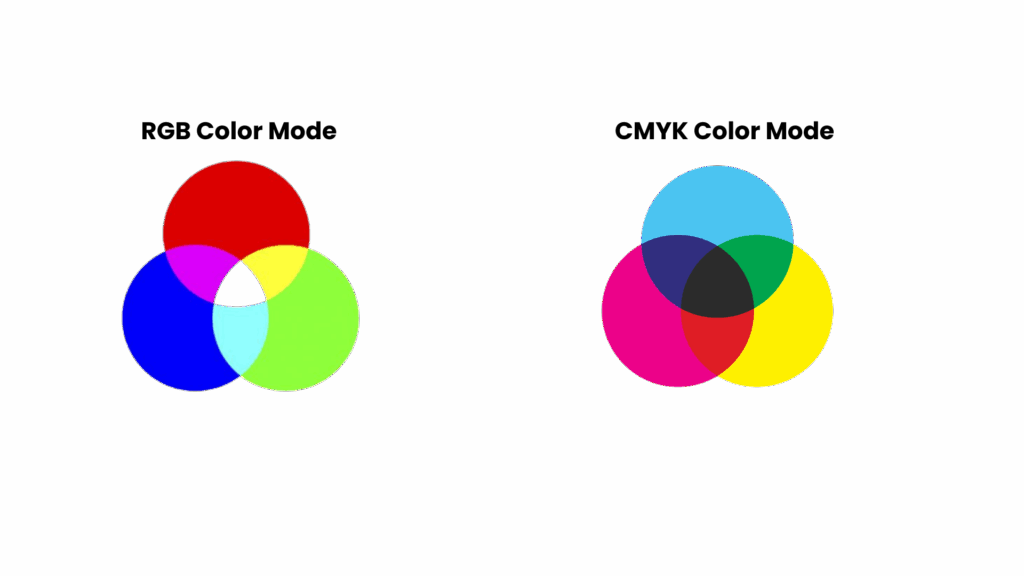
RGB (Red, Green, Blue) mode follows the color additive method, where colors of light are added together (superimposed) in various ways to reproduce a broad array of colors. Combining all three at full intensity produces white, while the absence of light results in black. This works perfectly for screens, as they emit light directly.
CMYK (Cyan, Magenta, Yellow, Black) uses the subtractive method — where colors appear by subtracting (absorbing) certain light wavelengths when ink is layered on a white surface. Combining all inks gives black, while the white base is the paper itself. This works perfectly for printing, as ink and paper absorb and reflect wavelengths.
Parameters RGB CMYK
Primary Colors Red, Green, Blue Cyan, Magenta, Yellow, Black
Color Method Additive method (Light Emission) Subtractive Method (Reflection & Absorption)
Color possibilities 16.7 Million Color 16 Thousand Color
Ideal For Screen, video, GIFs, and Digital AdS Stickers, Posters, T-shirts, Brochures, Flyers
File Type JPEG, SVG, PNG, GIF PDF, AI, EPS, TIFF
Advantages Larger Color Gamut(vivid,bright tone) Economical & efficient (separate black)
Disadvantages Need Conversion for printing Narrow color gamut, tricky black reproduction
How do printers create accurate Color Tones with CMYK?
CMYK may seem limited in color range, yet it’s the trusted standard for printers. The key is overprinting—layering inks to create a wider spectrum and achieve accurate color reproduction. Let’s see the breakdown in the table below:
Ink Color Absorb Reflected Appears
C R G,B C
M G R,B M
Y B R,G Y
Mixing of Colors:
Ink Color Absorbs Reflects Appears
C+M R+G Blue Blue
C+Y R+B Green Green
M+Y G+B Red Red
C+M+Y R+G+B No light Black
No pigment ink No light R+G+B White
Does the black created using CMY appear black?
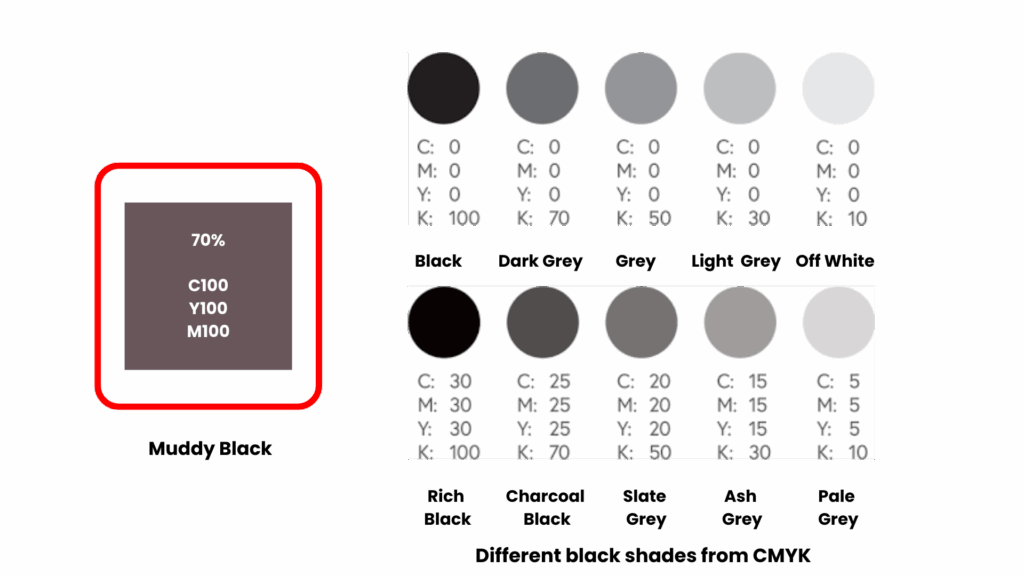
In the CMYK color model, black is theoretically created by mixing cyan, magenta, and yellow (CMY) at full saturation. However, in practice, a mix of 100% CMY often results in a muddy, dark brown (70% depth) rather than a true black. For achieving a rich, deep black in printing (CMYK), a separate black ink (K) is used. You can also create different shades of black by combining CMY with varying amounts of black ink, creating various looks from a cooler black to a richer one.
Running a Printing Business? Here are the best practices for you to follow
Some desktop & LFP printers process images in RGB due to the default Windows drive. Using professional RIP software & an enabled printer, then use the following steps:
- Desktop Printers: Image (RGB) → Default printer driver → Auto correction to CMYK → Print output
- Large Format Printers (LFP): Image (RGB) → RIP/Raster software → Print output
- Soft-proof designs before printing: Use software like Photoshop or CorelDRAW to preview how colors will look in CMYK before printing.
Final Tips for Better Color Matching
Achieving accurate colors requires attention to detail, soft-proof designs, adjusting brightness and contrast, calibrating your devices, and evaluating under neutral lighting.
Remember, RGB works best for screens while CMYK is the standard for print, delivering reliable, cost-efficient results. By applying both color modes correctly, you can ensure consistent, high-quality outcomes across every project.




This Post Has One Comment
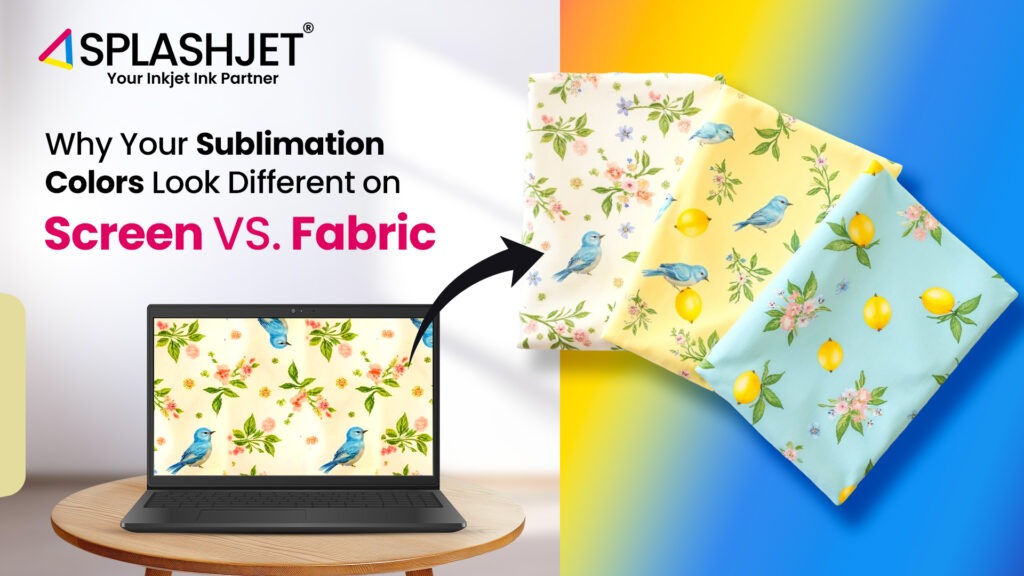
Pingback: Why Your Sublimation Colors Look Different on Screen vs. Fabric